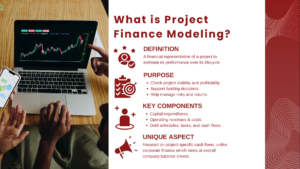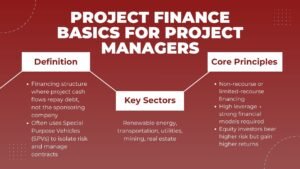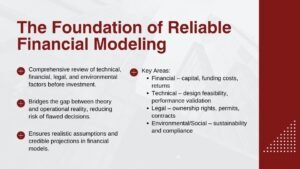
Project finance modeling courses are geared towards mastering advanced Excel skills; they involve the creation of dynamic financial models that automate calculations, project cash flow forecasting, and analysis of financing structures using industry best practices. Learners build their project finance modeling Excel skills in a structured way, directly applicable to investment analysis and financing.
Why Is Excel Essential in Project Finance Modeling?
The key advantage of using Excel for project finance modeling is that it allows for the creation of a customized and transparent model, connecting various project finance inputs and outputs. Lenders, sponsors, and investors all require Excel models to be delivered for review and stress-testing because they want to be able to see each calculation on a row-by-row basis.
It provides analytical flexibility to be able to trace each calculation back to its source assumption, which is crucial in project finance transactions because of the imperative for transparency. This traceability is one of the reasons that, after decades of other software packages that have been developed to replace Excel, it remains the most widely used application for spreadsheet needs.
What Advanced Excel Skills Are Taught in Project Finance Modeling Courses?
Top-level lookup functions, nested logical formulas, dynamic arrays, handling circular references, and industry-standard conventions for the layout of structured models are covered in the courses. Learners also learn how to create macros and named ranges that help to navigate and maintain large models over the life of a transaction, which can last for several years from bidding to operations.
In addition to project finance modeling, students learn the Excel skills and techniques that comprise a project’s integrated three-statement outputs, debt schedules, and sensitivity switches, and which react quickly to changes in the assumptions. These skills are developed under the same conditions as those a professional analyst faces while working under actual deadline pressure to build the model.
How Do Learners Build Dynamic Financial Models in Excel?
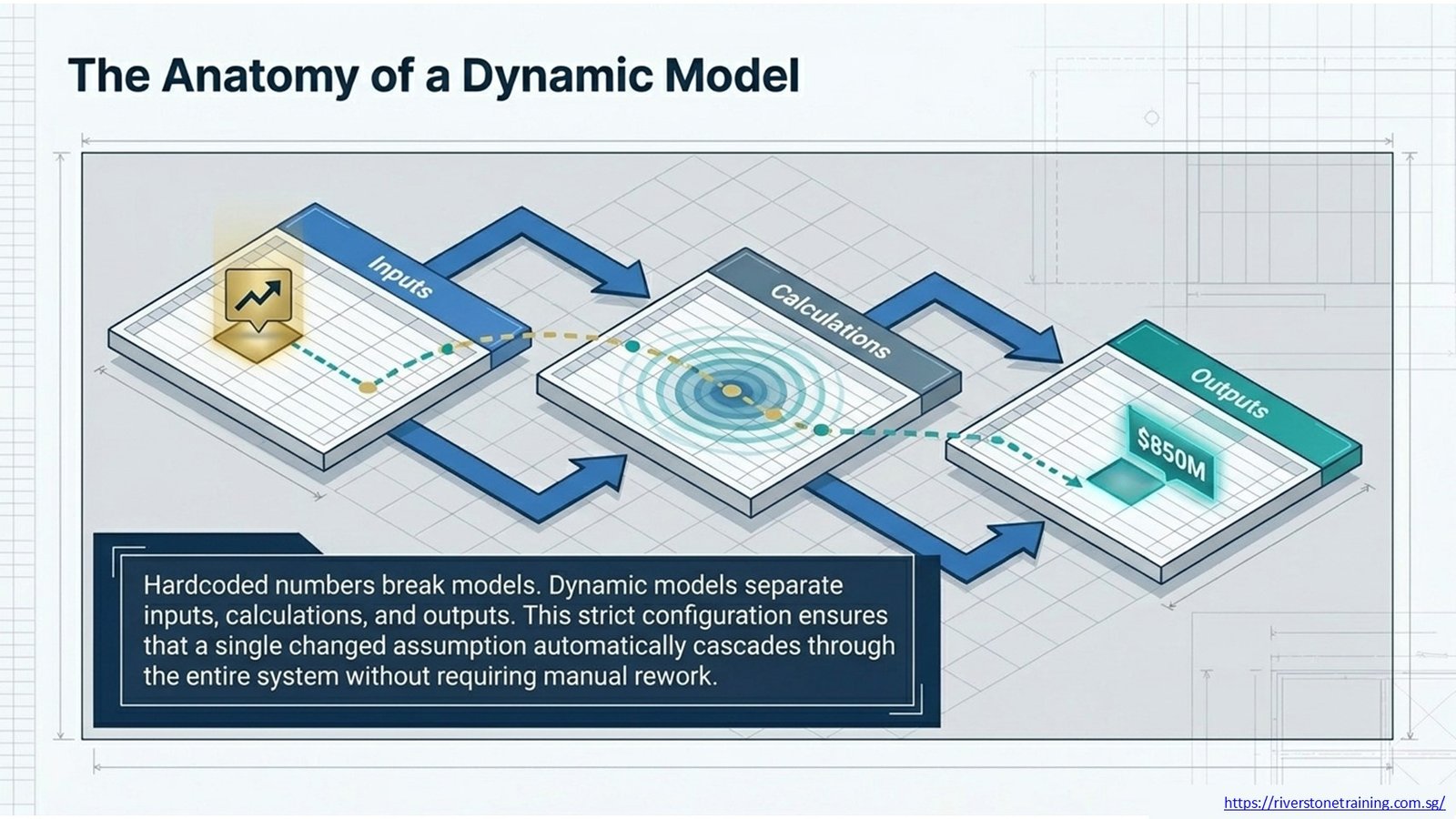
Learners construct dynamic models by dividing the inputs, calculations, and outputs into separate sheets and using formulas instead of pre-programmed numbers to connect the sheets. This configuration enables a change in assumption to cascade through the entire model without having to manually rework the model.
Courses often involve creating a model from scratch using a blank workbook, beginning with assumptions and working through cash flow projections, debt sizing, and output summaries, and provide a drill on the discipline required for live transactions under time pressure, like when in the real world.
How Are Project Cash Flows Forecasted Using Excel?
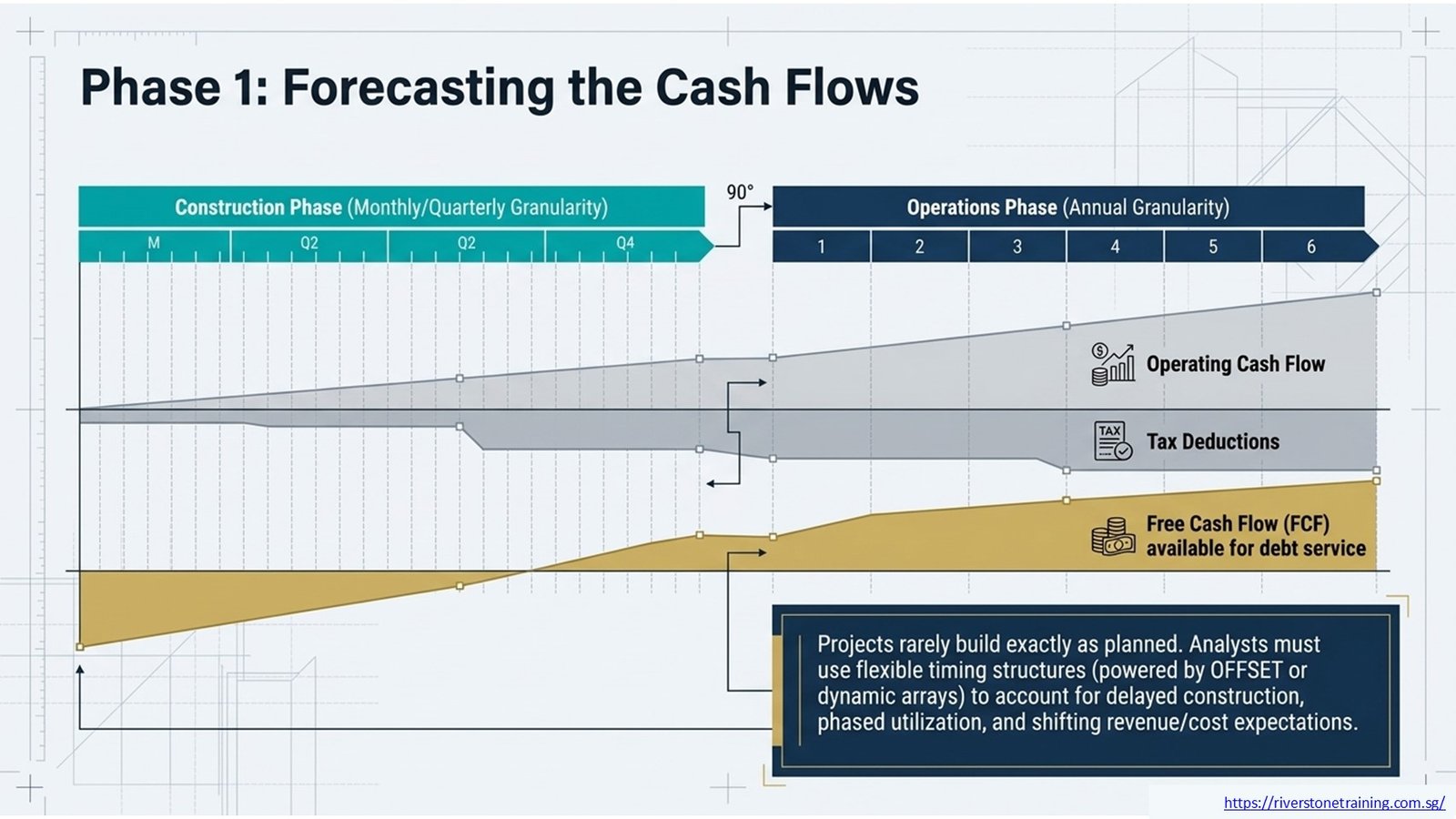
Project cash flows are estimated by correlating revenue and cost expectations to a timeline, usually monthly or quarterly for construction and annual for operations. Operating cash flow, tax, and free cash flow for debt service are calculated with Excel formulas over the whole project life.
These forecasts are used by analysts to decide when a project will start paying off debt; courses will teach learners how to create flexible structures for timing that can account for the fact that a project might not be built as quickly as planned, or that it could be built and then used in phases.
How Do Excel Formulas Improve Financial Modeling Accuracy?
Formulas increase accuracy by minimizing hand calculation errors and making sure that each period of a model is accurate. Analysts can create logic that automatically adjusts to other scenarios without manual effort, using functions like SUMIFS, IFERROR, and nested IF statements.
Consistent formulas throughout rows and columns are taught as one of the most common sources of error in professional financial models, and can cause the lender to lose trust during the due diligence process, possibly even delay financial close.
How Are Scenario and Sensitivity Analyses Performed in Excel?
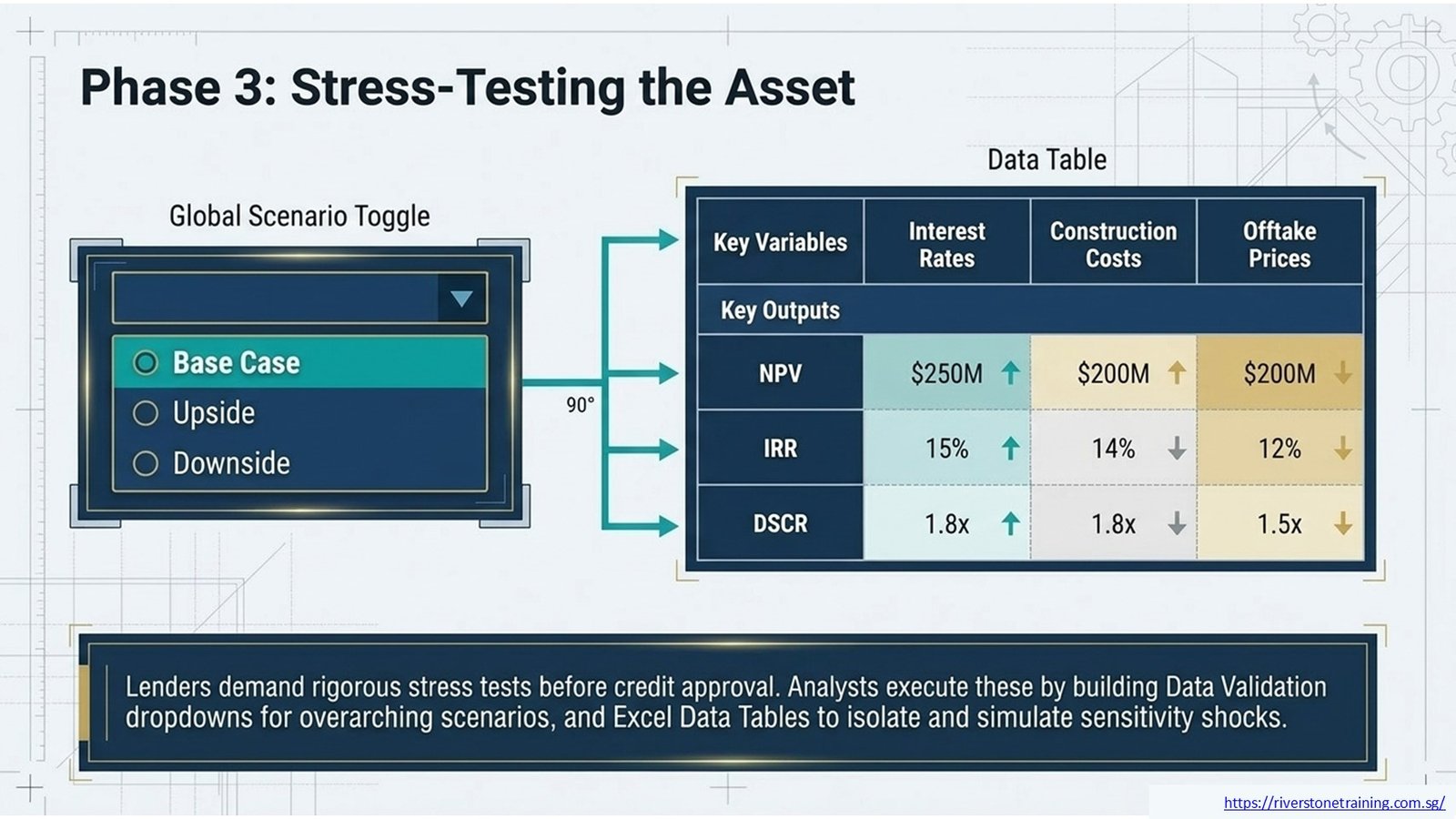
Scenarios are carried out by creating switch mechanisms (typically via data validation dropdowns) that switch between different sets of assumptions, e.g., “upside,” “downside,” and “base case. The use of Excel Data Tables is often employed for sensitivity analysis, in which the outputs are displayed as they change with changes in key variables, which change independently or in concert.
Learners build these tools and stress test the project’s returns and debt service coverage, simulating the stress tests lenders demand prior to financial close and credit approval, in order to evaluate the impact of varying interest rates, construction costs and offtake prices.
How Do Financial Models Evaluate Debt and Equity Structures?
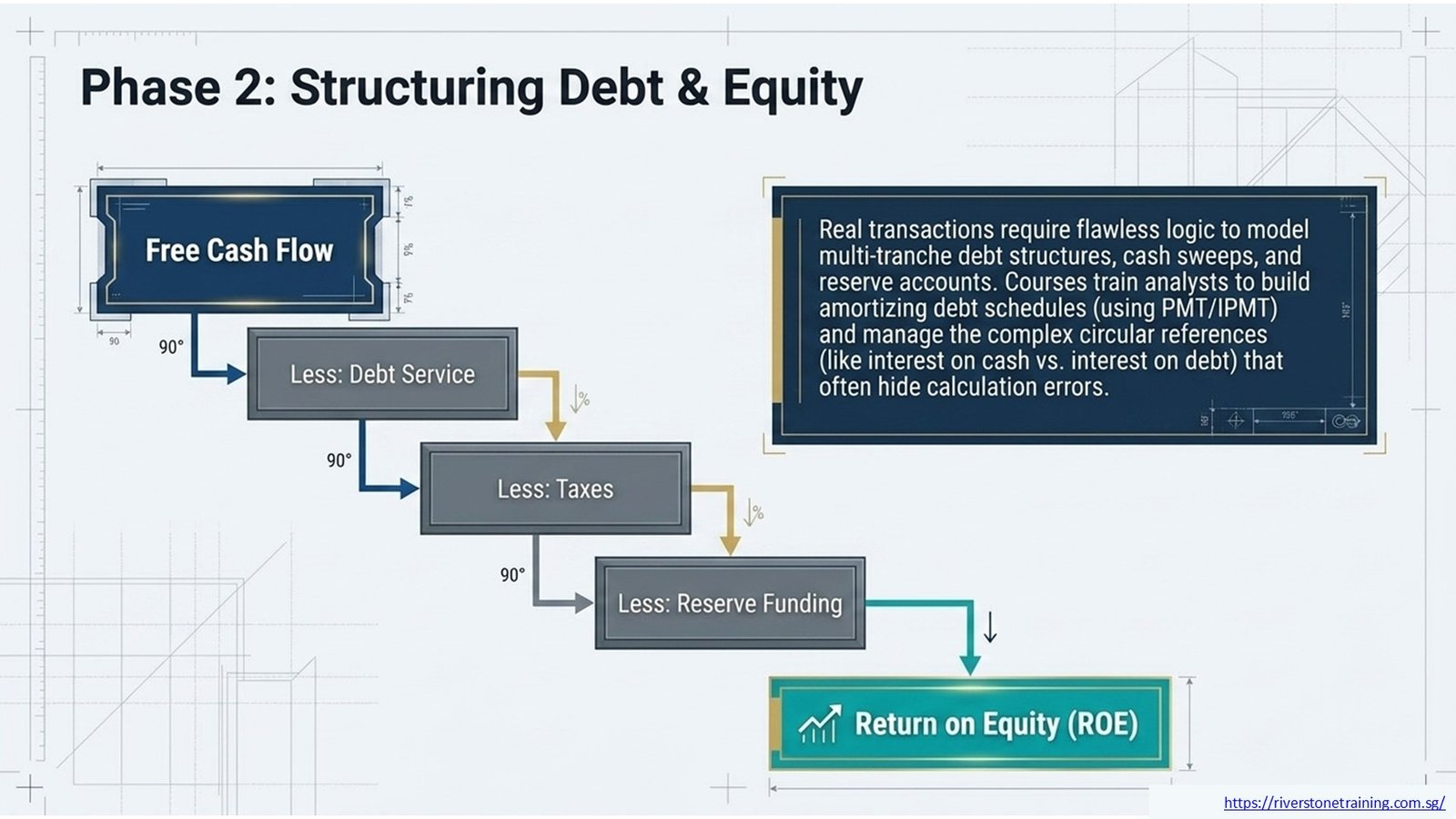
Models estimate the financing structure through the creation of a debt schedule that tracks interest, principal repayment and debt service coverage ratio (DSCR) over the project’s life. A return on equity is then derived from the remaining cash flows after deducting debt service, taxes, and reserve funding.
Courses will teach students how to model a multi-tranche debt structure, cash sweep mechanisms, and reserve accounts, as real project finance transactions can often be complex, with multi-tranche structures that require careful logic in Excel to ensure they are accurately modeled to avoid hidden calculation errors that can creep in and give false results.
How Can Excel Support Project Finance Model Bankability Assessments?
Excellent Excel modelling is a key part of project finance model bankability, as it provides a clear, traceable, auditable output, which can then be independently accessible and stress-tested by the lender with confidence. A well-structured model is vital to the success of a project in servicing a debt over a variety of scenarios and is essential to obtaining lender approval and getting a project to financial close. Courses cover this connection in detail, including how project finance modeling Excel skills translate into models that satisfy lender due diligence requirements.
Analysts also learn how modeling discipline, such as consistent formulas and clear assumption documentation, strengthens project finance model bankability during negotiations, since sponsors with credible models often secure better financing terms.
What Financial Functions Are Most Important for Project Finance Models?
They have features like NPV and IRR for calculating returns, XLOOKUP and INDEX-MATCH for dynamic data retrieval, SUMIFS for Cash Flow aggregation, and OFFSET or dynamic array functions for flexible time-series calculations that adapt automatically when the project timelines change. PMT and IPMT functions are also used by analysts to create amortizing debt schedules.
Courses also cover the use of circular reference for interest on cash and interest on debt, as well as the use of IFERROR to keep models clean during lender and investor review, and to prevent any formula errors from being seen.
How Do Learners Create Flexible and Auditable Financial Models?
Flexible models incorporate consistent formula logic, unambiguous assumptions are labelled, and there is separation between hardcoded inputs and calculated outputs – that way, anybody can review the model and understand how the result came about, without having to ask the original modeler.
Project finance models are often audited by third parties, such as external lenders, advisors, and rating agencies, before a deal is closed, and this is reinforced by conventions, such as colour-coding, named ranges, and documentation notes, which are taught as a standard practice in audit courses.
What Common Excel Modeling Mistakes Should Be Avoided?
Typical pitfalls include including values in formulas, using different formulas over the course of periods, circular references that are not resolved, and unclear labeling of assumptions, which can reduce the reliability of the model and make it slower to review during due diligence.
Courses also reinforce the avoidance of too deeply nested formulas that cannot be traced, enabling students to design the formulas in logical steps that are easily traceable to future auditors and updates when the deals change.
How Do Project Finance Models Support Investment Decisions?
Project finance models let the sponsor and lenders evaluate whether they should continue a project or renegotiate the terms of the financing by calculating the expected returns, debt capacity, and risk of the project in various scenarios.
The results, including NPV, IRR, and minimum DSCR, can be compared against other projects or financing structures to determine which to invest in and to help minimize exposure to downside scenarios.
How Are Advanced Excel Skills Applied in Real Project Finance Roles?
Project finance analysts are constantly using advanced Excel skills to update models with updated assumptions, perform scenario analysis for management, and prepare output for lender presentations and credit committee papers for financing approval.
Many investment banking and infrastructure consulting positions involve structuring investments or evaluating project viability, where skills are the same as in project and infrastructure work, and proficiency with Excel is essential.
How Do Project Finance Modeling Courses Prepare Learners for Industry?
Courses provide students with a realistic context of infrastructure and energy project case studies and model-building exercises that help them prepare for the real world of financing, not just for Excel exercises with no real-world infrastructure or energy project context.
Learners are likely to develop a full model from a set of assumptions, as they would on a professional project finance team before presenting a model to a lender, getting feedback on the structure, formula logic, and presentation.
Why Is Continuous Excel Skill Development Important?
The functionality of Excel and modeling techniques are constantly changing, and project finance transactions are increasingly getting more complicated, and new financing structures are emerging, meaning it’s important to continually update your skills to remain effective in such a competitive industry.
Those who continuously improve project finance modeling Excel skills have a better chance in the job market to secure a finance position and, in the lender’s eyes, to succeed in implementing new deal structures, meeting expected lender expectations, and the expectations of the lender.
Advanced Excel Functions for Project Finance
| Excel Skill | Project Finance Application |
| INDEX-MATCH / XLOOKUP | Dynamic data retrieval |
| IF & Nested Functions | Scenario calculations |
| SUMIFS | Financial aggregation |
| Data Tables | Sensitivity analysis |
Project Finance Modeling Workflow
| Step | Purpose |
| Build Assumptions | Define model inputs |
| Forecast Cash Flows | Estimate project performance |
| Structure Financing | Model debt and equity |
| Evaluate Outputs | Assess project viability |
Excel Tools and Their Applications
| Excel Feature | Practical Use |
| Named Ranges | Improve model readability |
| Conditional Formatting | Highlight key assumptions |
| Charts | Present project results |
| Data Validation | Reduce input errors |
Career Applications of Project Finance Modeling Skills
| Role | Excel Modeling Application |
| Project Finance Analyst | Build project models |
| Investment Banker | Evaluate financing transactions |
| Infrastructure Consultant | Assess project feasibility |
| Corporate Finance Professional | Support investment decisions |
Conclusion: Strengthening Excel and Project Finance Modeling Expertise
Project finance modeling courses are highly focused on using advanced Excel and understanding how to build formulas from the ground up, but also incorporate financial modeling, project cash flow forecasting, and evaluation of financing structures, and provide students with a full toolbox of modeling skills as opposed to “how to” tricks that cannot be transferred to actual projects.
By learning to model project finance skills in Excel, professionals can build models that provide reliable and effective project finance model bankability, build confidence among lenders and investors, and enhance investment decision-making. By taking a structured and hands-on approach to training, learners will gain this expertise and be equipped to achieve a successful career in project finance and infrastructure development, where technical credibility plays a key role in who is handed the financial deal.